 Olhinho

1
Remember everything
Patch time, every eye drop dose and screen breaks, without relying on memory.
Olhinho is a free app that helps your family follow, every day, what the eye doctor prescribed for your child: an eye patch for amblyopia, glasses, eye drops such as atropine and time outdoors. With Pipo, a little owl who does it all too, your child joins in and you keep track.
Just as the doctor ordered, every day, with less stress for the whole family.
Patch time, every eye drop dose and screen breaks, without relying on memory.
In Kid Mode, Pipo celebrates every mission of the day and a mini game helps keep the patch on.
History, prescription changes and a PDF report to show the eye doctor.
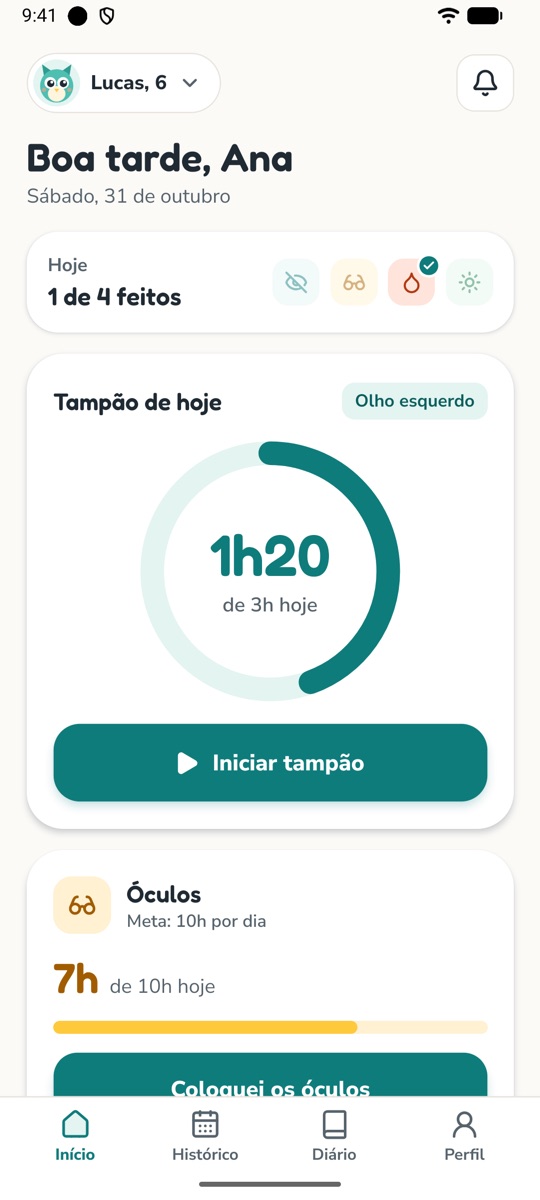
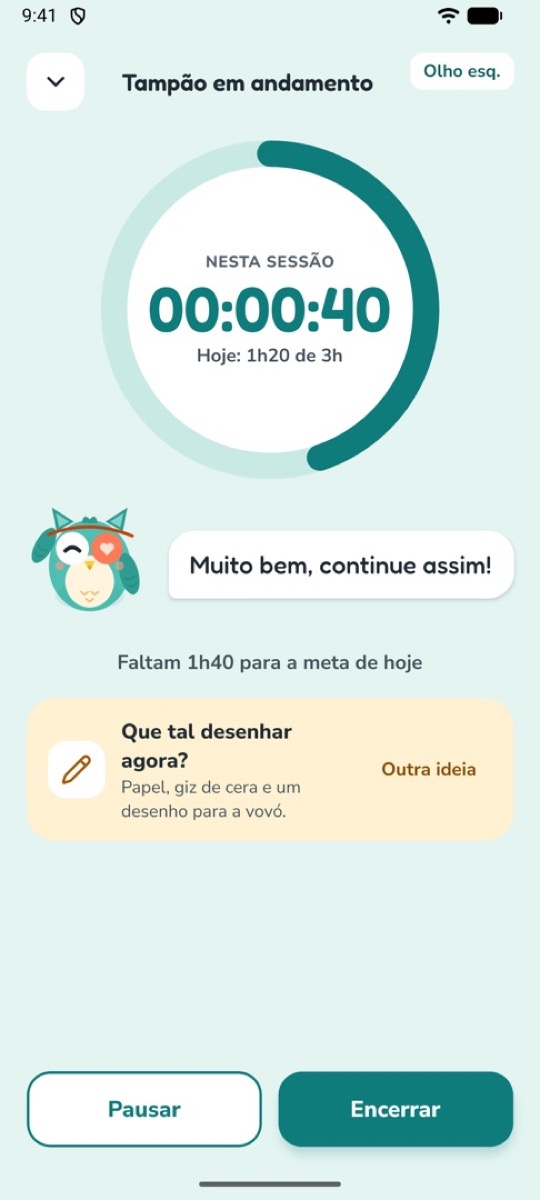
Open the app and see every treatment for the day. The timer keeps counting even if the screen turns off or the app closes.
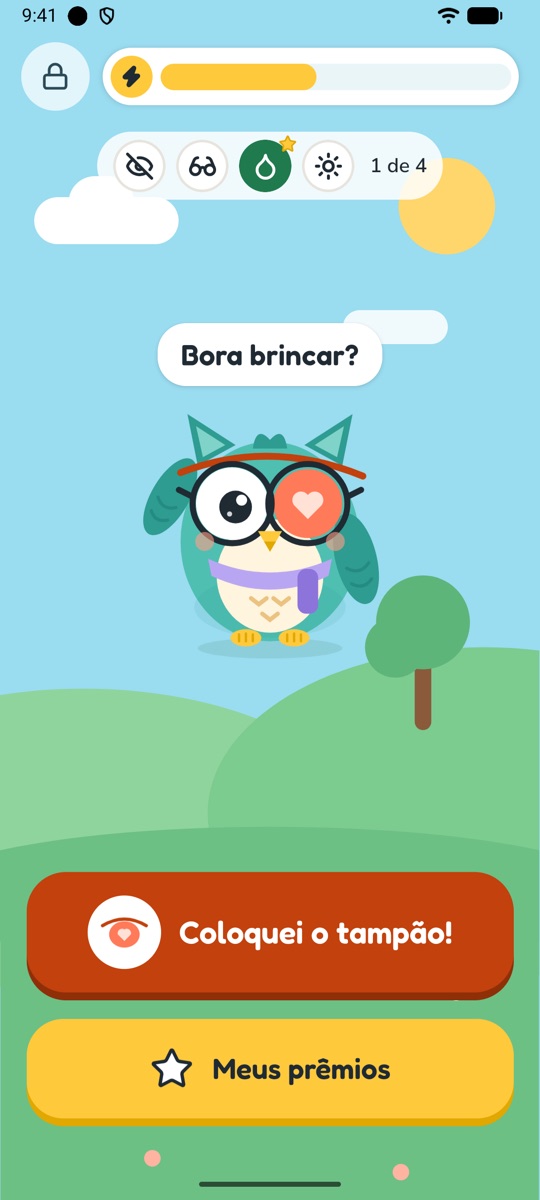
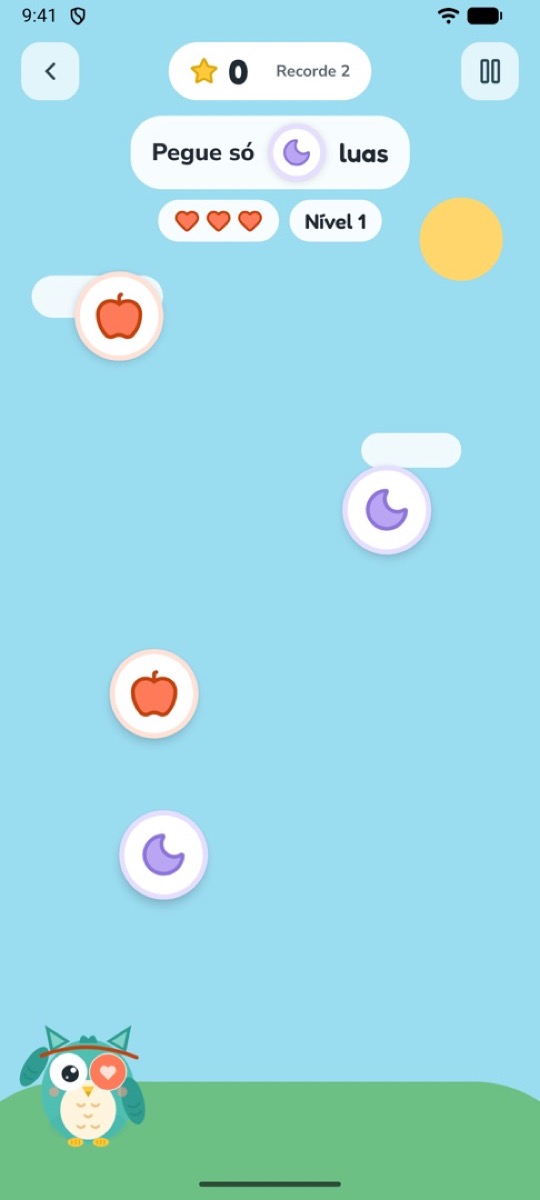
Hand the phone to your child. Pipo wears a patch and glasses just like them, shows the missions of the day and unlocks Star Shower while the patch is on.
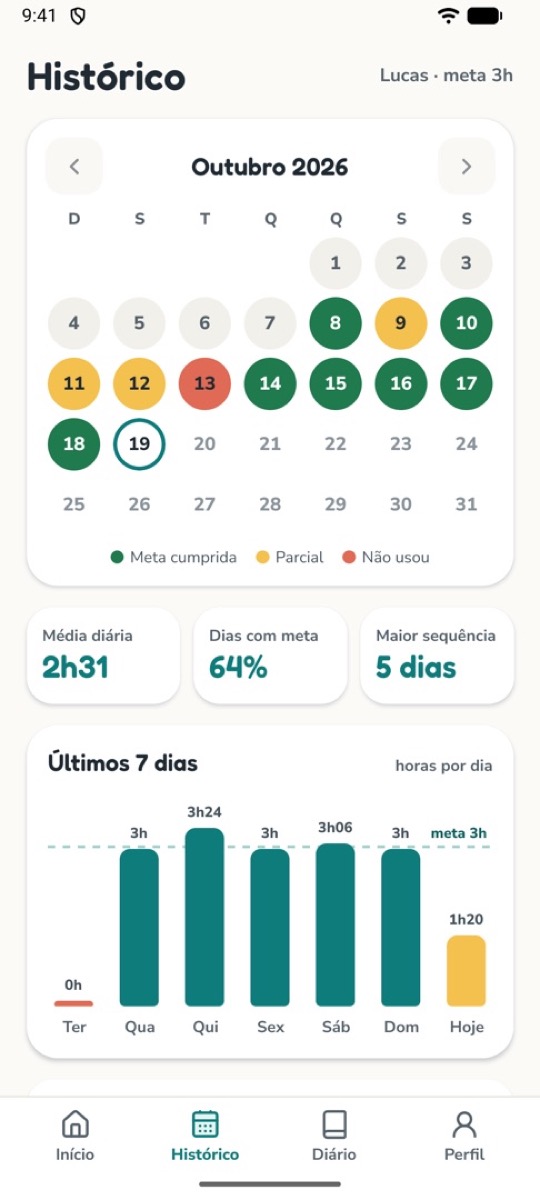
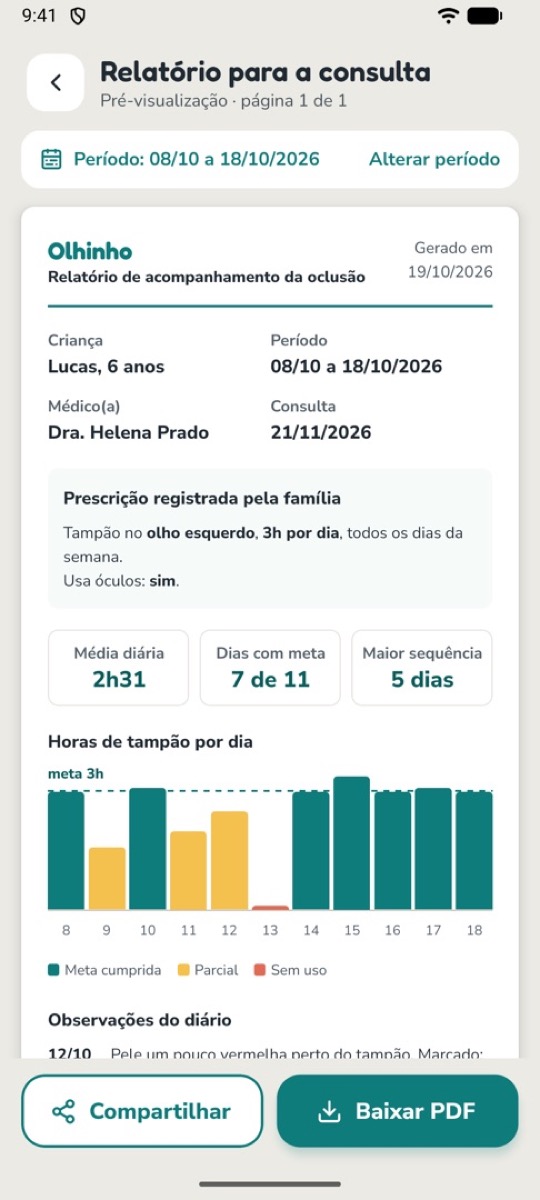
A calendar with complete days, a filter per treatment and a PDF report with every treatment, the latest prescription and the diary notes.
Many children wear glasses, use eye drops or need more time outdoors. During setup you check what the doctor prescribed, and Olhinho tracks it all together.
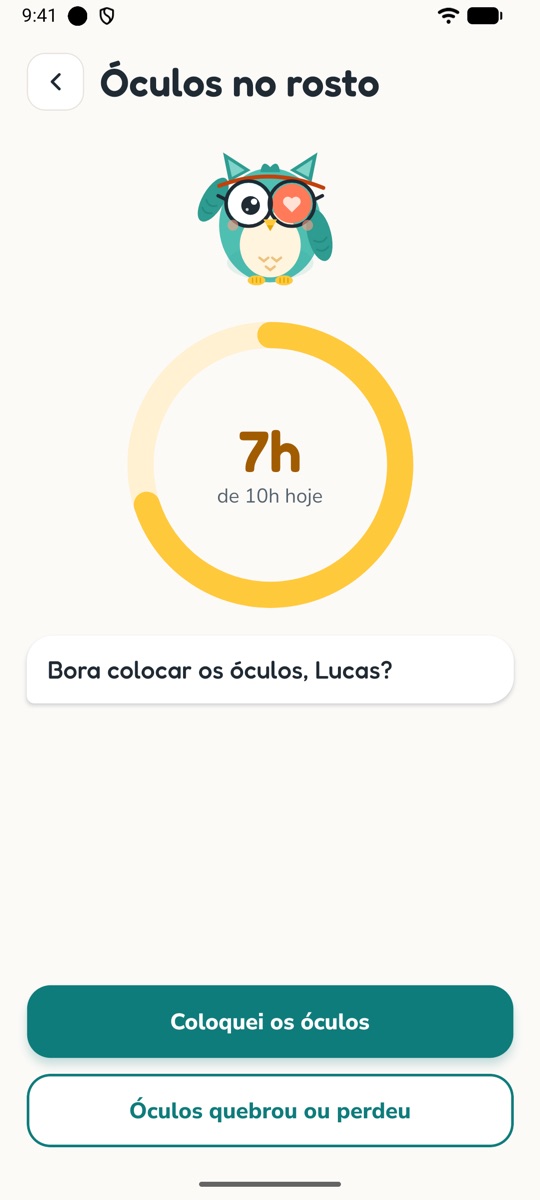
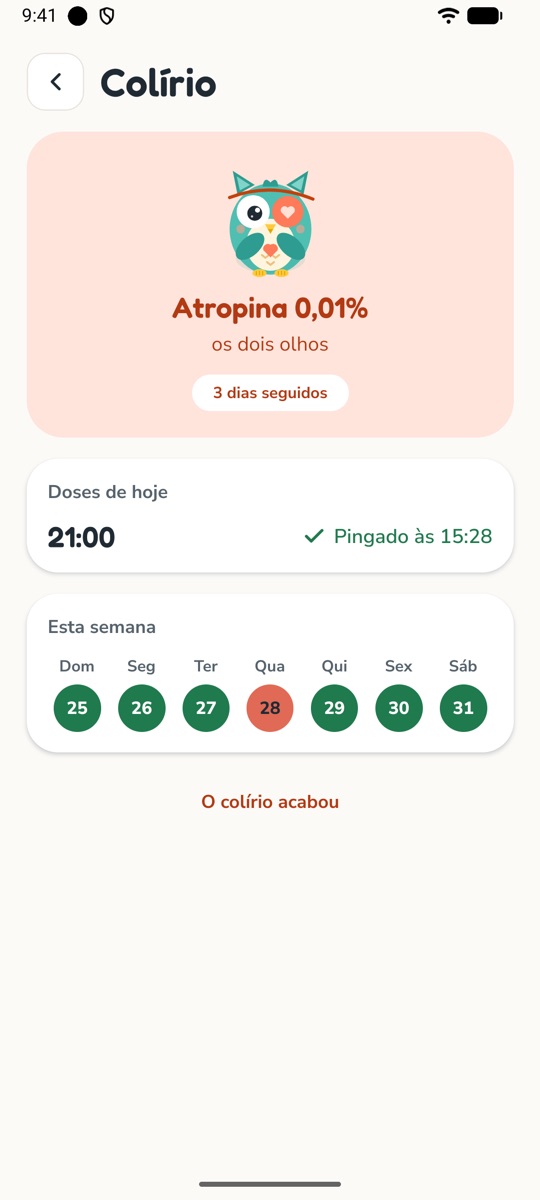
Count glasses hours or check off each day. For eye drops, Olhinho reminds you at each dose and again if nobody logged it.
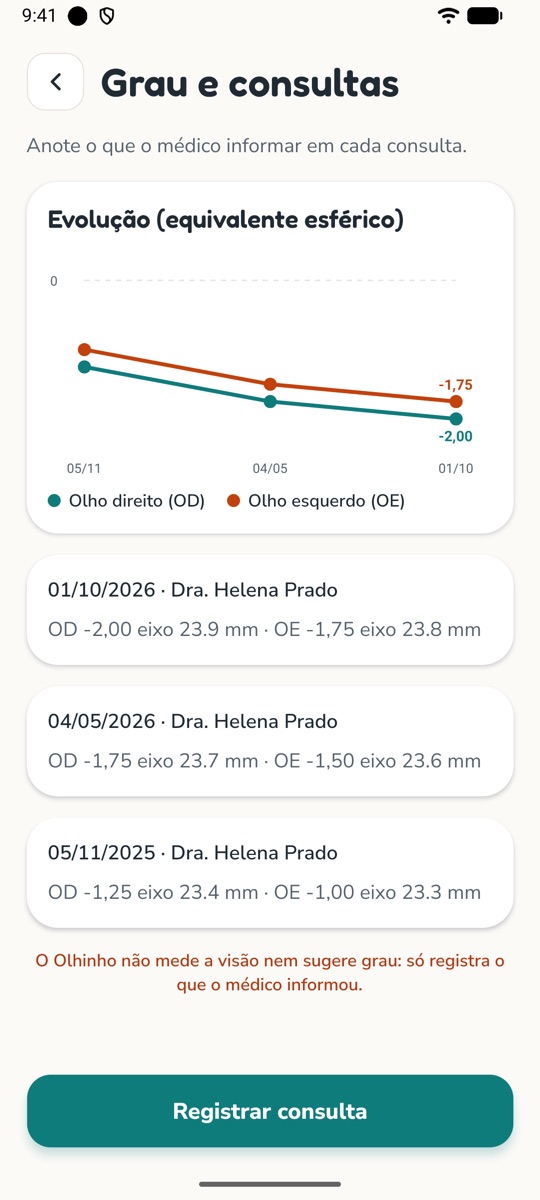
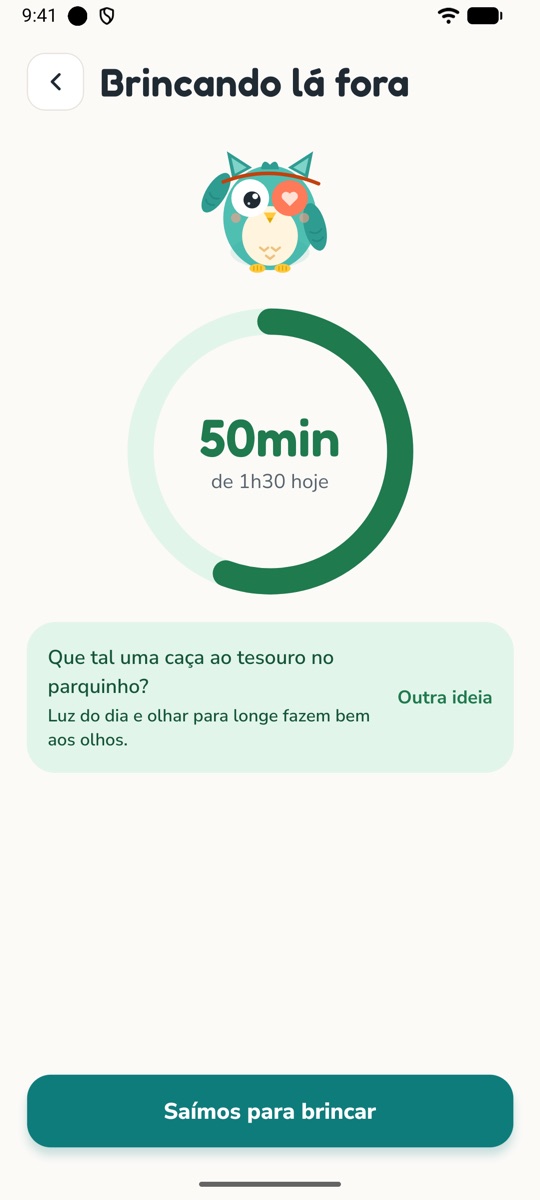
A daily outdoor goal, play ideas and screen breaks at the times you choose. At each visit, note the prescription and follow how it changes.
Olhinho was built with privacy from day one. Nothing is sent to any server.
Before reaching the store, Olhinho is being tested by real families. If you have an Android phone, join for free and help make the app better.
Use the same Google account as your Android phone and tap “Join group”. The group is in Portuguese, but everyone is welcome.
With the same account, tap “Become a tester” and install the app from Google Play.
Stay in the test for at least 14 days and send your feedback to nossos.olhinhos@gmail.com.
The essentials for the routine are free. Premium adds more for those who want more.
Forever
Monthly or yearly subscription
Yes. Olhinho was made for that: it logs the day’s patching time with a timer, reminds the family at the times you set and motivates the child with Pipo, a little owl who wears an eye patch too, prizes and a game.
Yes. Besides the patch, Olhinho tracks glasses wear, eye drop doses (such as atropine for myopia, with a reminder at each dose), time outdoors and the prescription from each visit. During setup you check what the doctor prescribed.
No. Olhinho is an organization tool: it helps the family follow what the doctor prescribed. It does not diagnose or recommend treatment. Always follow your eye doctor’s guidance.
Yes. Eye patch, glasses, eye drops and outdoors, up to 3 reminders, the current month’s history, the diary, the list of visits, Kid Mode and the game are free. Premium, a monthly or yearly subscription on Google Play or the App Store, adds the PDF report, history for every month, the chart of prescription changes, multiple children and all rewards.
No. The app works offline and without a sign-up. The internet is only used if you choose to subscribe to Premium through the app store.
For children aged 3 to 10, always with an adult nearby. The parent sets up the app, and going back to the parents’ area is protected by a challenge.
In Profile › Privacy, use “Export my data” to save a backup file. On the new phone, tap “Already use Olhinho? Restore a backup” on the welcome screen.
Yes, with Premium. Each child has their own prescription, history, diary and prizes.
Subscriptions are managed and cancelled in the store: in Google Play subscriptions on Android, or in iPhone Settings, under Subscriptions. The Free plan stays available.
English, Spanish and Portuguese. The app automatically uses your phone’s language.

Olhinho is coming soon to Google Play and the App Store. On Android, you can try it now.